

There are times when I would rather go to school and push through feeling lousy than make sub-plans. Our subs are typically not musicians or music teachers. And on top of it all, our students need us to be there to pull out barred instruments and other classroom equipment that only music teachers are experienced in navigating.
So, eliminate the stress and begin gathering and organizing plans, NOW. It’s never too late! Preparing engaging activities that are musically relevant to your curriculum could include videos, musical games, worksheets, and more, ensuring that the lessons are manageable for both you and any substitute teacher.
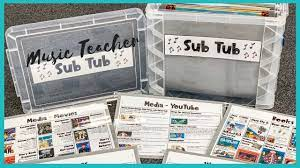
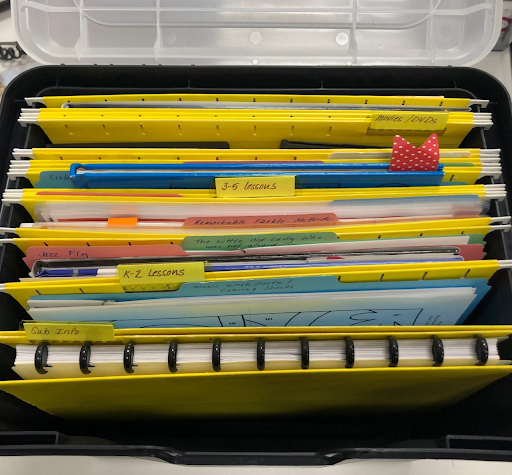
The “SUB TUB,” or a plastic box with categorized folders, is a brilliant idea I’ve seen used by many! Or, you can make it simpler with just a binder. Many music teachers organize shared materials through Google Drive folders that administrators or secretaries can access when needed. I often create my slides in Canva and share the link instead. Both approaches make it easy to provide quick access to lesson materials and presentations.
Here’s what some seasoned teachers suggest to include:
Get Organized
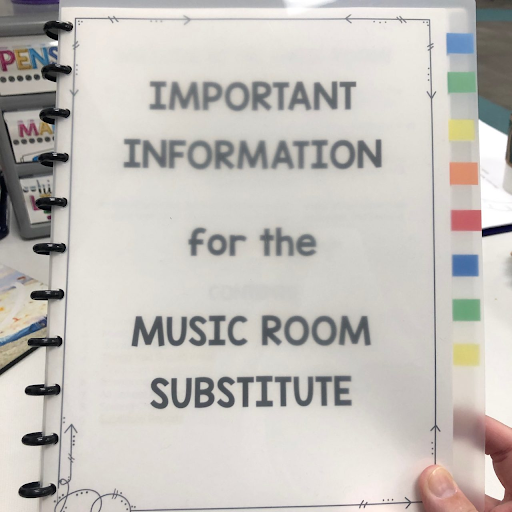
Tracy King begins by creating a binder with the following basic info that all subs will appreciate:
- Schedule: A copy of your schedule, including any recess/lunch duties
- Student names: Class lists, seating charts, and/or an attendance book
- Bandaids
- Hall passes, nurse passes, etc.
- Procedures for emergencies. If your school uses code words or special signals, be sure to include those in your plans.
- Technology: Instructions for using technology in your room and any passwords they will need, including the photocopier.
- A list of helpful teachers and where to find them, maybe an inter-school phone list.
- If need be, a picture or drawing showing how you set up your room.
- General rules for the music room. For example, I have flexible seating choices in my room, but I only use them for workstations or movie days, so I want to let them know how I use them.
- Change for the soda machine, and/or chocolate (I added the chocolate, Tracy!)
Google Sites & Folders, QR Codes, Sub-Tubs, Oh My!
Becky Burdett organizes her sub plans on a simple Google Site, where she has general substitute information and pages for each grade level. Each grade-level page has activities or videos in one convenient place. She also posts her own video message to the classes there. Another great thing about this way of organizing is that you can update your plans from home, right!?!
Liz, from her blog, Mrs. Cookie’s Music Room, goes a step further by creating a bitly link or QR code, printing it out, and taping it to your desk. That way, even if your admin ends up covering a class, they can quickly access what they need. Love this idea! She also has some other awesome ways to use Google Apps and Slides for organizing your sub plans, especially for long-term absences.
Binders, folders, plastic boxes, or file boxes make your plans and activities easily accessible.
Consider the “sub-tub!” You’ll need:
- Plastic file box or plastic storage container
- Hanging folders
- File folders
- Labels
For more sub plan ideas & resources read this blog about ready-to-use sub plan ideas.